Free Trial
Start a 28-day Portfolio++ Pro trial today, no credit card is required.
Step 1 - Open the Subscription Menu
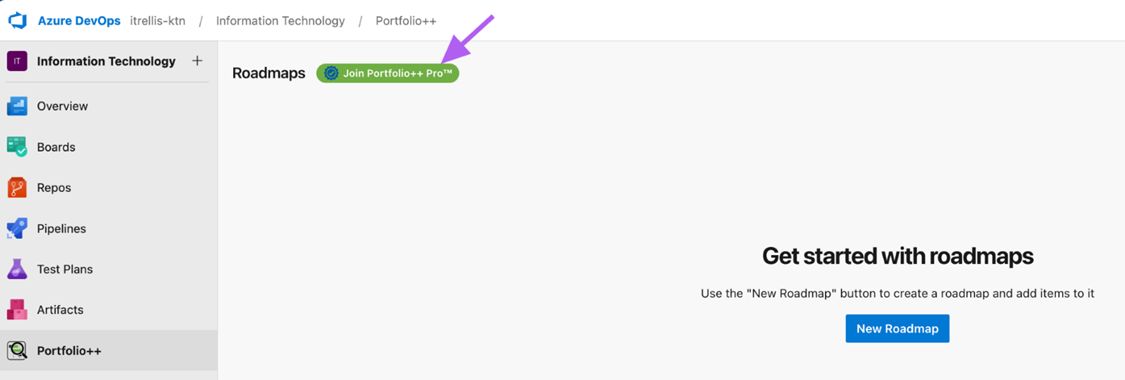
Launch Portfolio++ and click the green status button in the upper-left corner.
Step 2 - Click Upgrade Now
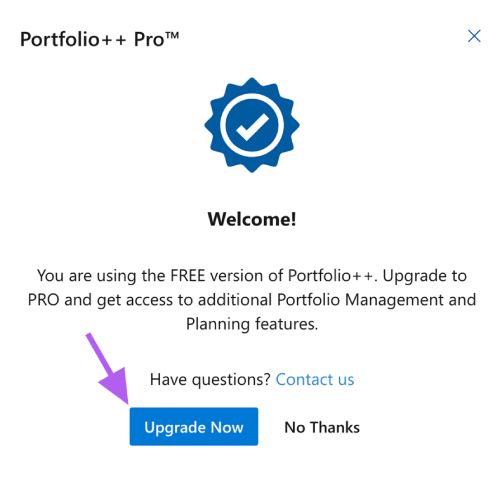
Select Upgrade Now from the subscription menu.
Step 3 - Choose Trial Type
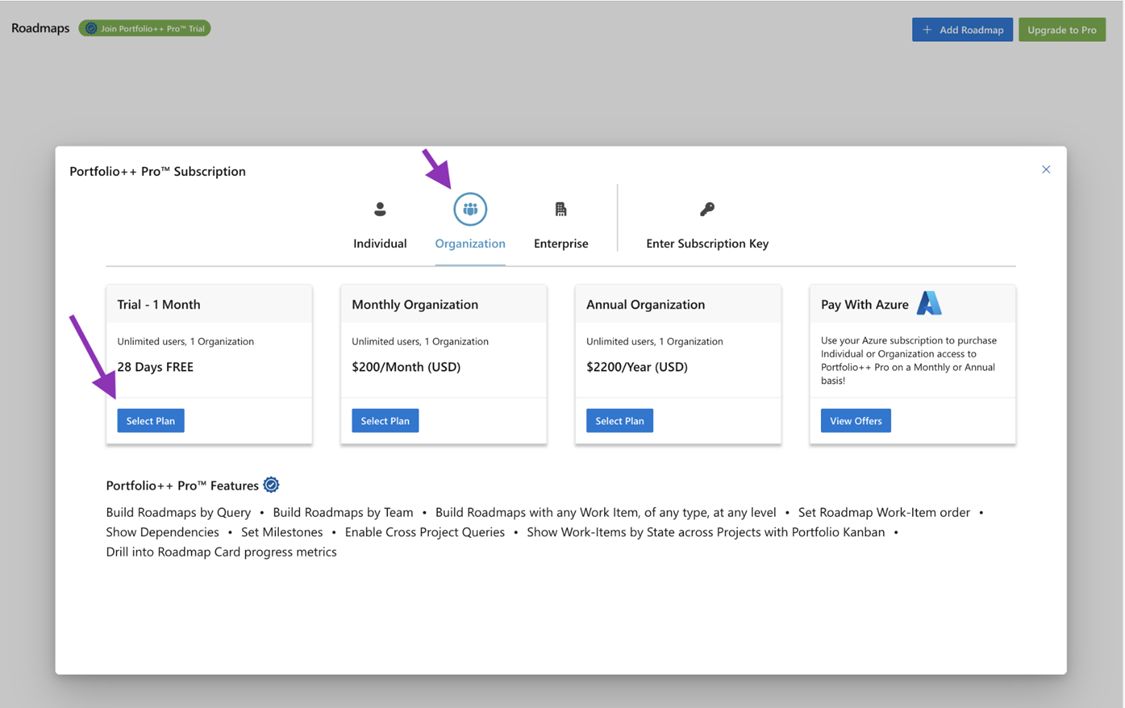
Select the type of trial you want to start.
- Individual - Trial applies only to your account.
- Organization - Trial applies to all users in the organization for 28 days.
important
Once an Organization trial starts, additional trials cannot be created for that organization or its users.
Click Select Plan under Trial - 1 Month for either Individual or Organization.
Step 4 - Enter Subscription Contact Information
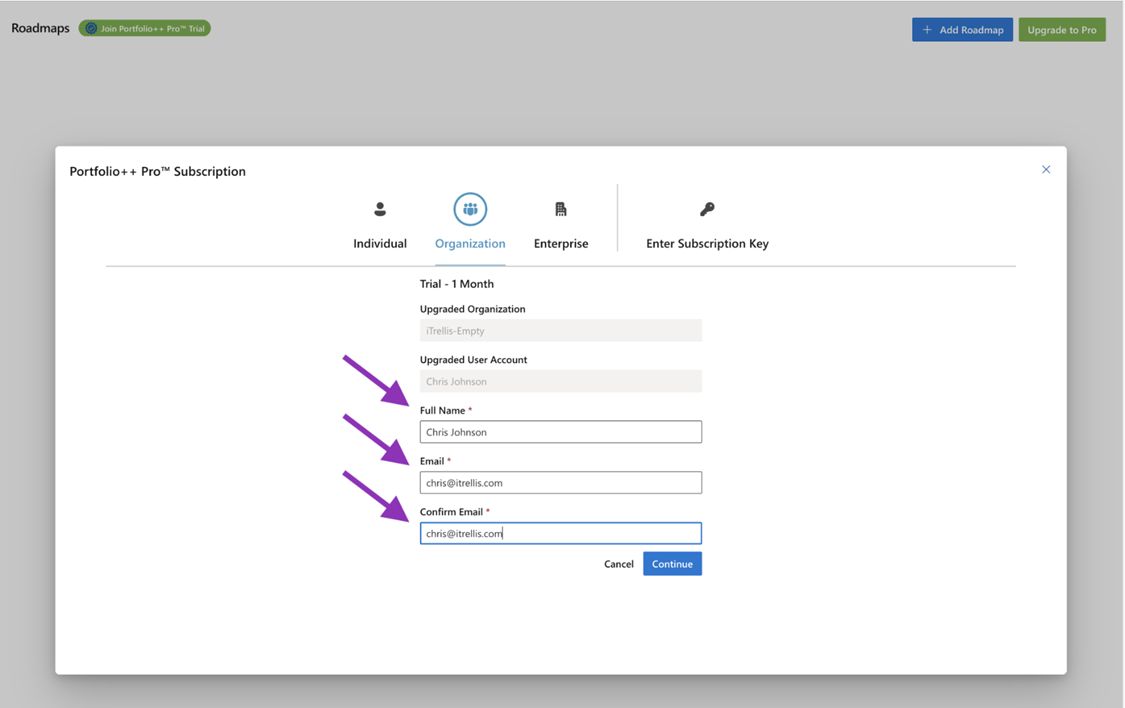
Enter your contact information as the subscription owner and click Continue.
Step 5 - Confirm Trial Activation
If successful, the green status pill pill will show that you now have a Portfolio++ Pro Trial.
Click No Thanks to close the dialog and begin using Portfolio++ Pro.
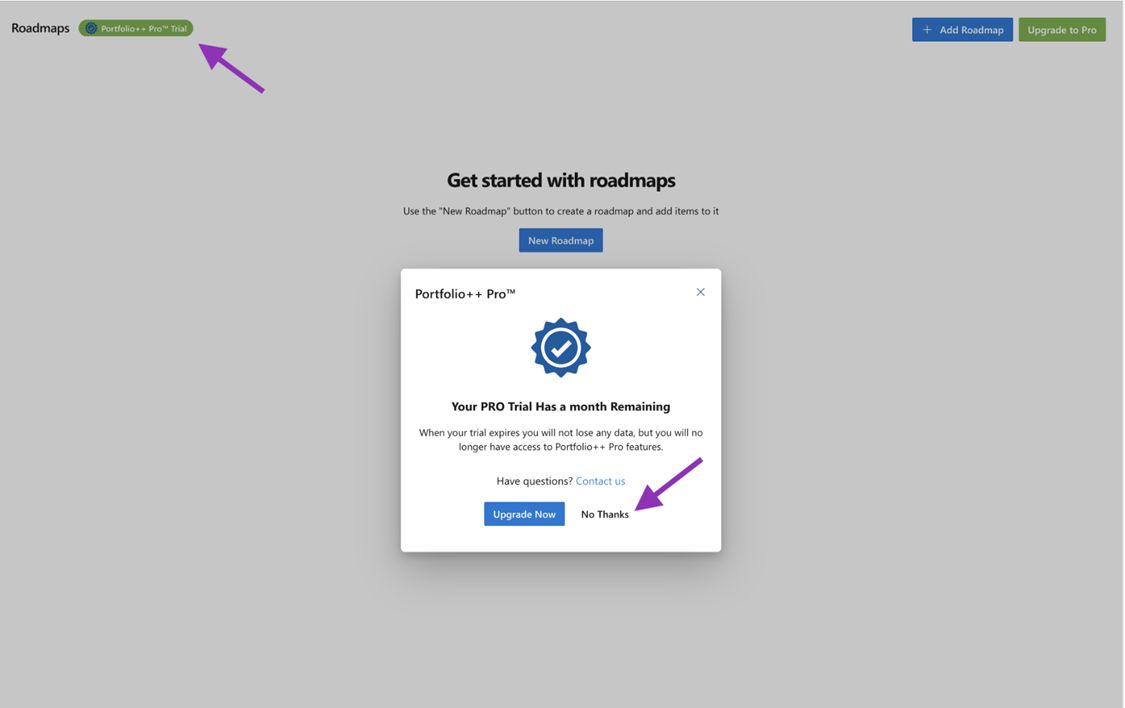
Trial Started
You now have full access to Portfolio++ Pro features for 28 days.